Web Development
Is GoDaddy Good for Web Design? Pros, Cons, and Real-World Results
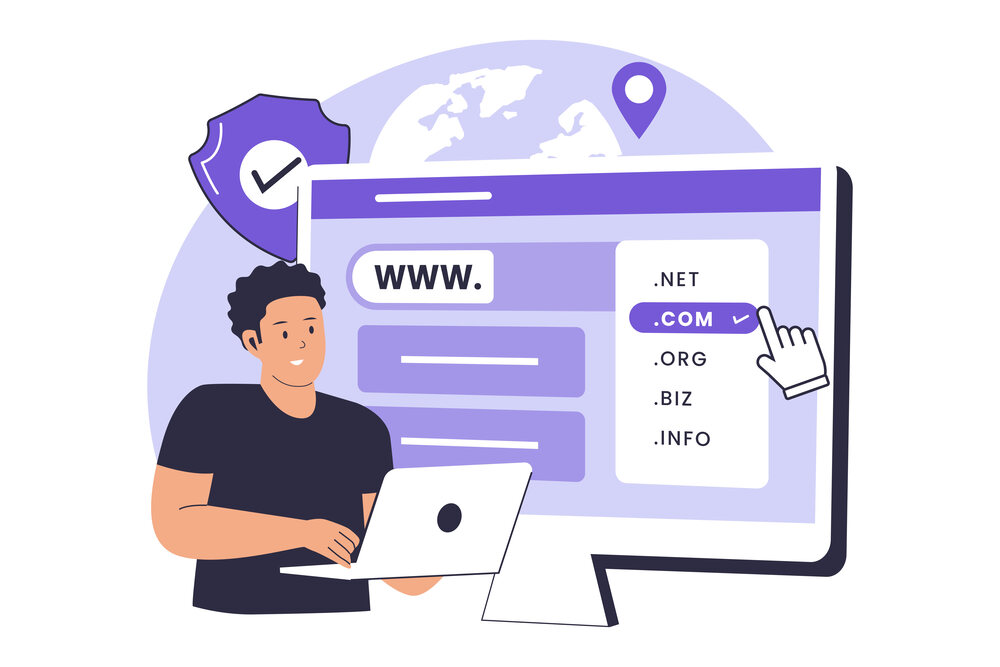
Whether you’re starting a side hustle, launching a business, or simply trying to get online fast, chances are you’ve come across GoDaddy — one of the most recognizable names in web hosting and domain registration. But beyond domains, GoDaddy also offers a website design platform that promises simplicity, speed, and professional-looking results — even for non-designers.
But is it good for web design?
In this post, we’ll take an honest, real-world look at GoDaddy’s website builder and web design services — breaking down what it does well, where it falls short, and what type of user it’s best suited for.
Quick Overview: What Is GoDaddy Website Design?
GoDaddy offers two primary ways to design a website:
-
GoDaddy Website Builder (Do-It-Yourself)
A drag-and-drop website builder aimed at beginners or small business owners who want to design their site quickly — no coding or technical skills required.
-
GoDaddy Web Design Services (Done-for-You)
A professional service where GoDaddy’s design team builds your website based on your input, brand, and business goals.
For this article, we’ll focus mostly on the GoDaddy Website Builder, since that’s what most small business owners and solopreneurs are using when they ask, “Is GoDaddy good for web design?”
Pros of GoDaddy Website Design
Let’s start with what GoDaddy gets right. For the average person who wants a quick and simple website — without hiring a designer or developer — there are some real advantages.
1. Very Beginner-Friendly
GoDaddy’s website builder is designed with simplicity in mind. The dashboard is clean, intuitive, and doesn’t overwhelm you with too many options. You can:
-
Choose a template
-
Add content sections (about, services, contact, etc.)
-
Customize fonts, colors, and images
-
Hit “publish” — and you’re live
If you’ve never built a website before, it’s a solid place to start.
2. All-in-One Ecosystem
GoDaddy combines domain registration, hosting, email, SSL, and site building all under one roof. That means:
-
Fewer logins
-
Less setup hassle
-
Faster time to launch
This is especially helpful if you’re not very tech-savvy and want an out-of-the-box solution.
3. Fast Setup and Launch
You can go from domain purchase to live website within a few hours. The builder walks you through setup, and most of the templates are already pre-filled with placeholder content and layout ideas.
For people who just need to “get something up,” this speed is a major win.
4. Mobile Optimization Built-In
All GoDaddy templates are mobile-responsive out of the box. Your site will look good on smartphones and tablets without extra effort — which is critical in 2025 when mobile traffic dominates.
5. Basic Marketing & SEO Tools Included
The platform includes essential tools like:
-
SEO page titles & meta descriptions
-
Social media links
-
Google Analytics integration
-
Simple email marketing (with paid plans)
While basic, these features help beginners get started with online visibility.
Cons of GoDaddy Website Design
Of course, no platform is perfect. GoDaddy’s website builder does have some downsides — especially for those looking for more flexibility, customization, or growth.
1. Limited Customization Options
While the builder is easy to use, it’s also a bit rigid. You can change colors, fonts, and images, but you can’t fully control layout elements or add advanced design features without hitting a wall.
If you’re someone who likes to tweak every detail or build something highly custom, you may find GoDaddy frustrating.
2. Template Variety Is Limited
GoDaddy offers a decent range of templates, but compared to platforms like Wix, Webflow, or Squarespace, the design variety and sophistication fall short.
Most templates are very similar in structure — clean, but a bit basic. Great for speed, not so great for standing out.
3. Ecommerce Is Basic (Unless You Upgrade)
GoDaddy does offer ecommerce features, but they’re fairly basic in the standard builder. You’ll need to upgrade to a higher plan for things like:
-
Inventory management
-
Abandoned cart recovery
-
Shipping calculators
-
Advanced payment options
For light selling (like a few products or digital downloads), it’s fine. But if you plan to run a serious online store, platforms like Shopify or WooCommerce might offer more depth.
4. Locked-In Ecosystem
Once you build a site on GoDaddy’s platform, you’re pretty much locked in. You can’t easily export your site to WordPress or move it elsewhere. This can make it difficult to scale or migrate later.
If you outgrow the platform, you may need to rebuild your site from scratch elsewhere.
5. Web Design Services Can Be Pricey
If you opt for GoDaddy’s done-for-you design services, the pricing isn’t outrageous, but it’s not cheap either — especially considering many small businesses can find local or freelance designers for similar or better quality at the same cost.
Also, revisions may be limited, and the designs tend to lean toward “safe” rather than standout.
Who Is GoDaddy Website Design Best For?
GoDaddy’s website builder isn’t for everyone — and that’s okay. Here’s who it works best for:
Best For:
-
Small business owners with no technical background
-
Solopreneurs who need a basic online presence quickly
-
Local service providers (plumbers, salons, tutors, etc.)
-
Anyone who wants a no-fuss, low-maintenance site
-
Businesses already using GoDaddy for domains and hosting
Not Ideal For:
-
Designers, developers, or creatives needing full control
-
Businesses planning to scale quickly with complex features
-
High-volume ecommerce brands
-
Anyone wanting deeply custom designs or integrations
Real-World Feedback: What Users Are Saying
To get a more complete picture, we reviewed dozens of real customer reviews and user testimonials. Here’s a quick snapshot:
What Users Like:
-
“I got my site live in a day — it was super easy.”
-
“No need to mess with plugins or updates.”
-
“All my stuff (domain, site, email) is in one place.”
Common Complaints:
-
“It’s too limited for my business now — I need more features.”
-
“I wish I had more design freedom.”
-
“The ecommerce tools felt a little too basic for what I needed.”
Final Verdict: Is GoDaddy Good for Web Design?
Yes — but only for the right use case.
If you’re a small business owner, freelancer, or side hustler who needs a simple website, fast, and you’re not looking for high-end design or complex features, then GoDaddy’s website builder is a solid option.
It’s easy, fast, and affordable. And it does the job — especially if you just need a modern-looking site to establish credibility, share info, and collect leads.
However, if you’re seeking long-term flexibility, in-depth design control, or robust e-commerce capabilities, you may quickly outgrow the platform. In that case, it’s worth exploring more flexible options like WordPress, Shopify, or Webflow.
Need help building B2B pipeline?
Get a free 30-minute GTM diagnostic — we'll show you the highest-leverage levers in your funnel.
Book Your Diagnostic